Optimize your IT operations and enhance your business infrastructure with high-quality server solutions. Whether you need to manage large volumes of data, run complex enterprise applications or ensure the security and availability of your services, we have the right server licences for you.
What are server licences?
Server licences are legal authorizations that allow you to install and use software specifically designed to manage IT infrastructures. Unlike desktop licences, server licences regulate access to resources shared by multiple users or devices simultaneously (we're talking about files, databases, remote sessions, applications and so on).
Microsoft distinguishes between multiple types: licences for server operating systems (such as Windows Server Standard or Datacenter) authorize the execution of the operating system on physical or virtual hardware.
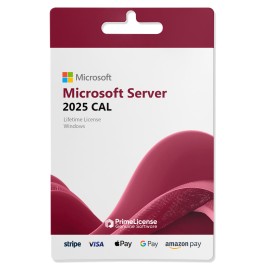
RDS CAL (Remote Desktop Services) licences are used for the technical activation of users and devices, while CAL licences (acronym for Client Access Licence) are documents that certify and attest the genuineness of CAL usage per user or device in case of a Microsoft audit.
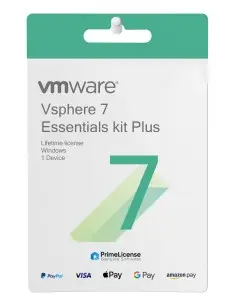
Database licences (such as SQL Server) regulate the use of the data management engine, and finally, visualization licences such as VMware vSphere allow you to create and manage virtual machines on the same physical hardware.
Why do I need a server licence?
Without a valid licence, Windows Server enters a reduced functionality state after a grace period and the graphical interface is disabled, as a result Active Directory functionality may be compromised and the system does not receive security updates from Windows Update: an unacceptable situation in production environments.
On the compliance front, an audit by Microsoft can highlight the absence of valid licences and the consequences range from contractual penalties to the obligation to purchase retroactively the missing licences, often at full price. For these reasons, having an original licence with verifiable CALs is the most effective protection.
Our range of server licences
Here you'll find a selection of Windows Server, SQL Server, RDS and VMware licences: all original, all perpetual, at prices that reflect the secondary market for legally resaleable used licences.
| Licence |
Available Products |
RDS CAL |
CAL |
| Windows Server |
Standard 2019, Datacenter 2019, Standard 2022, Datacenter 2022, Standard 2025, Datacenter 2025 |
RDS 2019
RDS 2022
RDS 2025 |
CAL 2019
CAL 2022
CAL 2025 |
| Microsoft SQL Server |
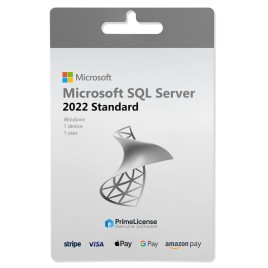
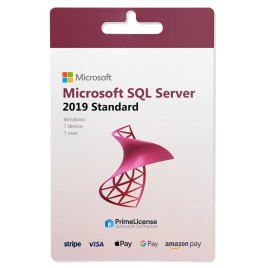
Standard 2017, Standard 2019, Standard 2022, Standard 2025 |
- |
Standard 2019 CAL
Standard 2022 CAL
Standard 2025 CAL |
| VMware |
Vsphere 7, Vsphere 8, Workstation Pro 17 |
- |
- |
| AOMEI |
Backupper Server |
- |
- |
Additional details on the most popular server solutions
- SQL Server: Unlock the power of data with SQL Server. This comprehensive database management system helps you store, retrieve and analyze data efficiently. With advanced security features, improved performance and high availability, SQL Server is the ideal choice for managing critical workloads.
- Windows Server Datacenter: Enhance your infrastructure with Windows Server Datacenter. A robust server operating system provides a solid foundation for application hosting, managing virtualized environments and enabling hybrid cloud scenarios.
- Windows Server Standard: It is a server operating system developed by Microsoft. Designed for small and medium-sized businesses, it offers advanced features for network, storage and application management.
Which server licences to choose? Quick opinion
The answer to the question can vary based on the number of users accessing the server, the level of virtualization and the presence or absence of applications that require a dedicated database. Here are some simple guidelines to help you navigate server licences.
| Type of Company |
Recommended Product |
Reasons |
| Small business with single network server |
Windows Server 2022 Standard + CAL per user |
Covers all use cases without paying for unnecessary features |
| Company with multiple servers virtualized on physical host |
Windows Server 2022 Standard or Datacenter 2025 |
From the third server onwards Datacenter is more cost-effective |
| Environment with remote desktop sessions for work-from-home users |
Windows Server Standard or Datacenter + RDS CAL per user |
RDS CALs are mandatory for technical activation |
| Systems administrator with test environment requirements |
SQL Server 2022 Standard |
Suitable for market management applications without requiring the Enterprise version |
| Mixed infrastructure with multiple physical hosts |
VMware vSphere Essentials Kit Plus 8 |
Covers up to three hosts with vCenter included and all HA and hot migration features |
If you have further doubts about the configuration most suited to your situation, contact our customer support and we will help you choose the products most appropriate to your needs.
Why purchase server licences from PrimeLicense?
Server licences from Microsoft and other solutions sold at official list price weigh on the budgets of small businesses, professional studios and IT departments that need to contain costs without compromising on quality. By choosing PrimeLicense for your server licence, you will have the certainty of relying on a reseller with Microsoft Cloud Service Partner authorization: a guarantee of legitimacy.
When you purchase from Prime License you are not only getting the software but you have access to a range of benefits:
- Discounts up to 70% – advantageous prices for any type of server licence, whether Microsoft, VMware or AOMEI products;
- Immediate delivery – the licence arrives via email within a few minutes of purchase, with activation instructions;
- Eco-friendly and green – all licences are digital, zero packaging, zero physical shipping, zero CO2 emissions from transport;
- Post-sales support – you can contact us at any time via email and WhatsApp for assistance on the product received, our technical support will help you every time you need it;
- Thousands of reviews – positive ratings verified on aggregators such as Trustpilot and Trusted Shops confirm customer satisfaction.
Customer Guarantee
Your purchase is fully protected by Trusted Shops Buyer Protection for orders up to €2,500. The security of your payments is our priority: every transaction is protected with advanced SSL/TLS encryption and processed through trusted providers, including Stripe, Apple Pay and Google Pay. We never store your payment information, ensuring that your financial details remain completely private and secure.

 English GB


 Purchase Protection
included - up to £2,500
Purchase Protection
included - up to £2,500
 Microsoft Certified
Partner
Microsoft Certified
Partner
 Genuine software
licence
Genuine software
licence