English


Your cart
There are no more items in your cart

- Save -238.00 $

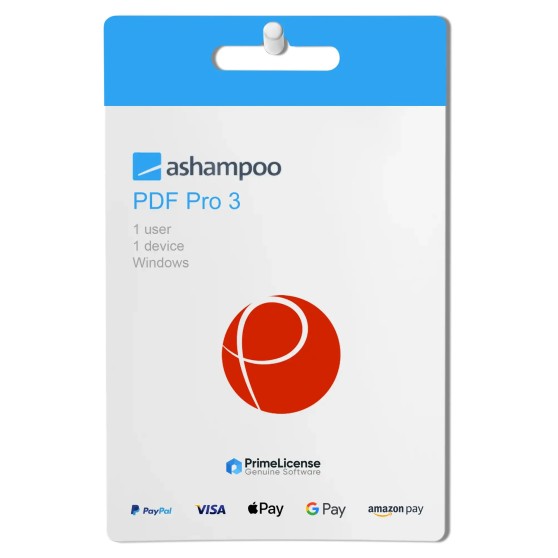




Ashampoo PDF Pro is the complete solution for managing and editing your PDF documents. The program contains everything you need to create, convert, edit, merge and protect your PDFs.
The main features of Ashampoo PDF Pro 3:
Edit PDFs quickly and easily, as if they were Word documents
Version 3 includes a new interface, based on the ribbon that can be found in any modern Office application. All the essential functions are located exactly where you expect them, just like in Microsoft Word.
Ergonomics that zero stress
Ashampoo PDF Pro 3 includes a dark mode that reduces eye strain.
Format, review and recompose with ease
Reorder and delete or crop and rotate individual pages as you see fit. You can even insert pages from other PDF documents or combine multiple documents into a single file.
Don't copy, convert!
Ashampoo PDF converts your PDFs into text documents that can be edited with MS Office or Ashampoo Office. HTML, EPUB, JPG and RTF formats are also supported as output formats. Ashampoo PDF Pro also supports optical character recognition (OCR) to convert your scans into editable and searchable documents.
Quickly switch between work modes
Switch from text editing to manual or object mode in a matter of seconds.
Enlarge documents in any mode
Ashampoo PDF Pro 3 contains a slider that allows you to enlarge a document to perfection.
Create PDFs with ease
Ashampoo PDF Pro allows you to create high-quality PDFs from any Windows program that can print. All you have to do is select "Print" from the application you are using and choose "Ashampoo PDF" from the available printers. If necessary, Ashampoo PDF Pro can do automatic resizing of images, for example, to facilitate online publishing.
Compact and versatile: new pop-up elements
Ashampoo PDF Pro 3 features a multitude of pop-up sections showing the most important contextual functions in a clear and concise manner.
PDF/A: the secure standard
Ashampoo PDF Pro 3 supports the PDF/A format, which complies with the ISO standard and is designed for creating documents that can remain accessible and readable even after many years. This makes it the perfect format for archiving your most important documents and preserving them for posterity.
Accurate and fast document comparison
For even greater convenience, differences can be entered in a list of navigable links in a separate sidebar.
Additional features:
Purchasing an original license on PrimeLicense offers more than just a financial advantage; in addition to the net savings on the software, you can also enjoy a quick activation by following the steps below:
All invoices are generated by "Prime Digital Solutions Inc," the owner of the PrimeLicense platform.
You can request an invoice when placing your order by entering the necessary information in the designated fields during the "checkout" process. Alternatively, you may register your tax details on your account when signing up on our website.
You also have the option to request an invoice after placing your order, but please note that the processing and approval of such requests may take up to 14 business days from the date of your purchase.
You can expect to receive your invoice via email on the same day as the request. For additional details, please feel free to contact us here.
Nella stessa categoria