English


Your cart
There are no more items in your cart

- Save -$31.40

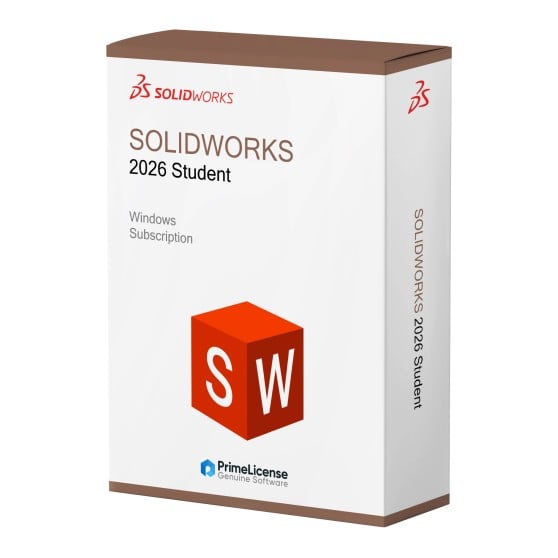


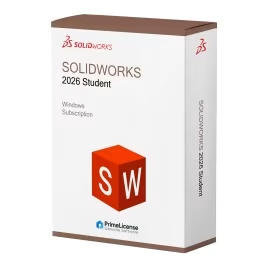


Unleash your creativity with the Solidworks 2026 Student suite, complete with tools for developing industry-leading products. From mechanical and industrial design and modeling to real-time collaboration and next-generation technologies. SolidWorks solutions enable you to design and manufacture anything.
All SolidWorks design tools include cloud functionality for 3D sharing, markup, data storage, design review, data management and collaboration tools to help you prioritize your passion for design from anywhere.
IMPORTANT: This Solidworks 2026 license is an educational version, Solidworks Student, which includes all the functionality of the commercial version. The license type is indicated in the watermark at print time, as it is intended for educational and non-commercial use. If you are looking for alternatives to Solidworks 2026 Student, you might consider Autodesk Fusion and Autodesk Inventor software.
By purchasing the Solidworks 2026 Student edition, you will receive:
Solidworks 2026 introduces a smarter, more connected and high-performance design environment. This new version improves daily workflows thanks to advanced AI automation, increased processing speed and smoother collaboration tools, designed for modern design teams. Here are some of the main new features:
These updates make SolidWorks 2026 an excellent choice for those seeking speed, intelligent automation and a more modern design experience. For further details, visit the official Solidworks blog.
Solidworks 2026 is mechanical modeling software often compared to other industry tools such as Autodesk Fusion and Inventor, but what sets it apart from these? The table below illustrates the differences to help you make your choice.
| Feature | Solidworks 2026 | Autodesk Fusion | Autodesk Inventor |
|---|---|---|---|
| What it's for | Advanced 3D modeling, assembly, drawing, simulation | Parametric modeling, collaborative assembly, cloud storage | 3D modeling, complex assembly, technical drawings, simulation, modular design |
| Collaboration | Basic (via separate PDM) | Real-time | Basic (via Vault) |
| Ecosystem integration | Industry standard | Autodesk integration (Revit, Civil 3D, etc.) | Full Autodesk suite integration |
| Simulation and analysis | Integrated (FEA, flow, stress, motion) | Integrated | Integrated (advanced FEA, dynamic simulation) |
| Rendering and visualization | Advanced PhotoView, raytracing | Cloud rendering and HD visualization | Integrated rendering, realistic visualization |
| Supported formats | STEP, IGES, DWG, PDF, STL, API | STEP, DWG, PDF, STL, T12, F3D | STEP, IGES, DWG, Parasolid, SAT, STL |
| Libraries | Extensive native libraries and integrated Toolbox | Library Hub | Content Center |
Solidworks 2026 is ideal if you are an experienced engineer in established manufacturing companies who prioritizes the power of advanced integrated modeling and simulation. If instead you are a freelancer, Autodesk Fusion allows real-time collaboration and cloud access without the need for expensive hardware. Finally, Autodesk Inventor is the solution for those working in a company who need robust simulation and full compatibility with the Autodesk ecosystem.
Purchasing an original license on PrimeLicense offers more than just a financial advantage; in addition to the net savings on the software, you can also enjoy a quick activation by following the steps below:
All invoices are generated by "Prime Digital Solutions Inc," the owner of the PrimeLicense platform.
You can request an invoice when placing your order by entering the necessary information in the designated fields during the "checkout" process. Alternatively, you may register your tax details on your account when signing up on our website.
You also have the option to request an invoice after placing your order, but please note that the processing and approval of such requests may take up to 14 business days from the date of your purchase.
You can expect to receive your invoice via email on the same day as the request. For additional details, please feel free to contact us here.
Nella stessa categoria