English GB


Your cart
There are no more items in your cart

- Save -£103.00



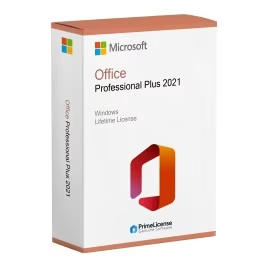


Office 2021 Pro Plus BIND is an original software licence with one-time payment and lifetime duration, linked directly to your Microsoft account. This configuration offers you greater freedom: you can reinstall Office on another computer at any time, simply by signing into your Microsoft account. It is an ideal solution for those who desire permanent and offline access to all the main Office apps, without monthly subscriptions. Office 2021 Pro Plus BIND works with Windows 10 and 11, both 32-bit and 64-bit.
IMPORTANT: This version of Office 2021 Pro Plus is Windows only. If you are looking for Office for Mac, visit our dedicated product pages such as Office Home & Business 2021 for Mac or Office Standard 2024.
Office 2021 Pro Plus BIND includes all the classic productivity applications in the Office package:
With your licence purchase you will also receive detailed instructions for software use. Activation takes place on the Microsoft portal and, as it is a BIND licence, you can reuse it in case of system reinstallation.
Office 2021 Professional Plus continues to be a product chosen by many users seeking a complete Office package with one-time payment and no recurring costs. It provides access to all applications, including Access software for managing databases and Publisher for creating marketing assets.
Amongst the many features of Office 2021 Pro Plus are real-time co-authoring, allowing you to work on the same Word document with other users for example; "dark mode" to reduce eye strain and support for vector images in PowerPoint.
Office 2021 Pro Plus will receive security updates until 13 October 2026, but this does not mean you cannot use the software after this date: by purchasing the lifetime Office package, you can continue to use it without restrictions, even when security updates are no longer released. Furthermore, the BIND version allows you to reinstall the software even if you decide to change device in the future.
If you choose the BIND licence, your Office 2021 will be linked to your Microsoft account. This means you can install the software on another PC at any time: simply sign in with the same Microsoft account on which you registered the key for your licence.
The difference with an OEM licence lies in the versatility of use. You do not need to worry about formatting your computer and losing the licence; with Office 2021 Professional Plus BIND you will have lifetime software access with a single payment. Editions such as Office 2021 Professional Plus OEM and Office 2021 for Mac are instead tied to a single computer and cannot be transferred after activation. Below we see the key differences summarised in a table.
| Feature | Office 2021 BIND | Office 2021 OEM |
|---|---|---|
| Licence type | Retail (linked to Microsoft account) | OEM (linked to a single device/hardware) |
| Reinstallation | Yes – reinstallable on new or same PC | No – tied to the first activated device |
| Transferability | Transferable by signing into your Microsoft account | Non-transferable after activation |
| Ideal for | Users who change or upgrade PCs | Users with fixed setups long-term |
| Flexibility | High – ideal for future use | Low – suited to fixed environments |
If you are looking for a licence that follows you over time, the BIND version is the right choice. For a one-time installation on a permanent workstation, the OEM version is a simple and reliable solution. Both are available on PrimeLicense: choose the one that best suits your lifestyle or work environment.
Purchasing an original licence on PrimeLicense offers more than just a financial advantage; in addition to the net saving on the software, you can also enjoy a quick activation by following the steps below:
All invoices are generated by "Prime Digital Solutions Inc," the owner of the PrimeLicense platform.
You can request an invoice when placing your order by entering the necessary information in the designated fields during the "checkout" process. Alternatively, you may register your tax details on your account when signing up on our website.
You also have the option to request an invoice after placing your order, but please note that the processing and approval of such requests may take up to 14 business days from the date of your purchase.
You can expect to receive your invoice via email on the same day as the request. For additional details, please feel free to contact us here.
In the same category