English GB


Your cart
There are no more items in your cart




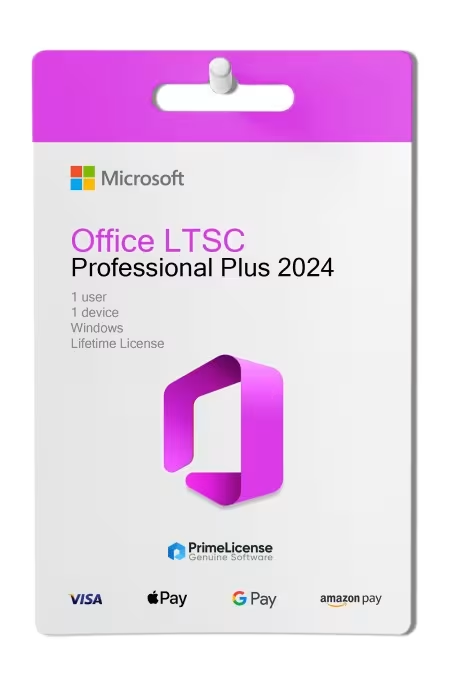


Office 2024 Professional Plus LTSC provides you with the complete classic suite of applications, with new features compared to Office 2021 and significant improvements. By activating your licence, you'll have immediate access to:
Microsoft Office 2024 Professional Plus LTSC allows you to download the applications and install them locally. No continuous internet connection is required for their use (with the exception of applications such as Outlook and Teams), though you may need one to obtain security updates.
The acronym LTSC stands for Long-Term Servicing Channel and, in the case of Microsoft Office 2024 Professional Plus, indicates a perpetual (lifetime) licence with a one-time payment, designed for professionals, businesses, practices or private individuals who require stability, operational continuity and full control of the suite, without relying on recurring subscriptions.
Unlike Microsoft 365, a subscription-based plan, it involves no monthly or annual fees: you purchase once and use the product activated on your PC. The licence can be installed on a single Windows 10 or 11 PC and, in the event of a format or operating system reinstallation, remains valid and reactivatable.
The LTSC channel guarantees security and quality updates until October 2029, making it a choice that prioritises stability and continuity of use.
Microsoft offers several editions of Office 2024 with lifetime licences. The main difference concerns the applications included and compatibility with operating systems:
| Feature | Office Home 2024 | Office Home & Business 2024 | Office Professional Plus 2024 LTSC |
|---|---|---|---|
| Compatibility | Windows, macOS | Windows, macOS | Windows |
| Users | 1 user | 1 user | 1 user |
| Devices | 1 device | 1 device | 1 device |
| Payment | One-time | One-time | One-time |
| Word | ✓ | ✓ | ✓ |
| Excel | ✓ | ✓ | ✓ |
| PowerPoint | − | ✓ | ✓ |
| Outlook | − | ✓ | ✓ |
| OneNote | − | ✓ | ✓ |
| Access | − | − | ✓ |
| Teams | − | − | ✓ |
If you're looking for a Mac-compatible version, Office Home & Business 2024 is the most complete choice available for macOS. Office Professional Plus 2024 LTSC is exclusive to Windows PCs.
Office 2024 is not the only edition of the Microsoft package you can purchase: there are also alternatives such as Office 2021 licences and Microsoft 365. The differences concern the licensing method, compatibility and updates:
| Feature | Microsoft 365 | Office 2024 Professional Plus LTSC | Office 2021 Professional Plus |
|---|---|---|---|
| Licence | Monthly or annual subscription | Lifetime | Lifetime |
| Compatibility | Windows, macOS, Android, iOS | Windows | Windows |
| Cloud | 1 TB on OneDrive | − | − |
| Updates | Complete and continuous | Security only (until October 2029) | Security only (until October 2026) |
| Ideal for | Cloud work and multi-device use | Professionals working on a single device | Tight budget, basic use |
Purchasing an original licence on PrimeLicense offers more than just a financial advantage; in addition to the net saving on the software, you can also enjoy a quick activation by following the steps below:
All invoices are generated by "Prime Digital Solutions Inc," the owner of the PrimeLicense platform.
You can request an invoice when placing your order by entering the necessary information in the designated fields during the "checkout" process. Alternatively, you may register your tax details on your account when signing up on our website.
You also have the option to request an invoice after placing your order, but please note that the processing and approval of such requests may take up to 14 business days from the date of your purchase.
You can expect to receive your invoice via email on the same day as the request. For additional details, please feel free to contact us here.
In the same category