• Save -33.00 $
PrimeLicense - 100% genuine software and authentic licenses
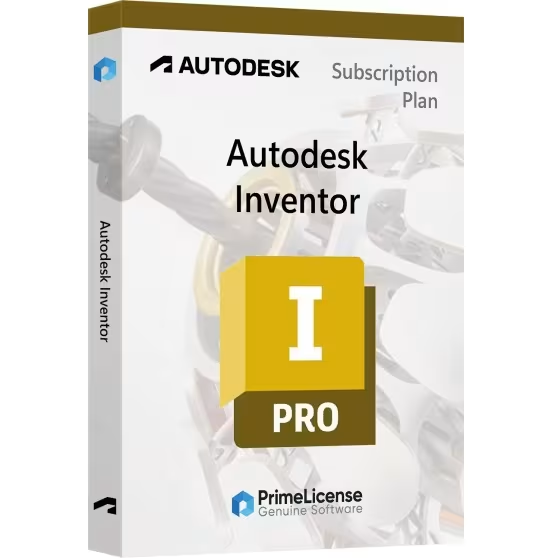
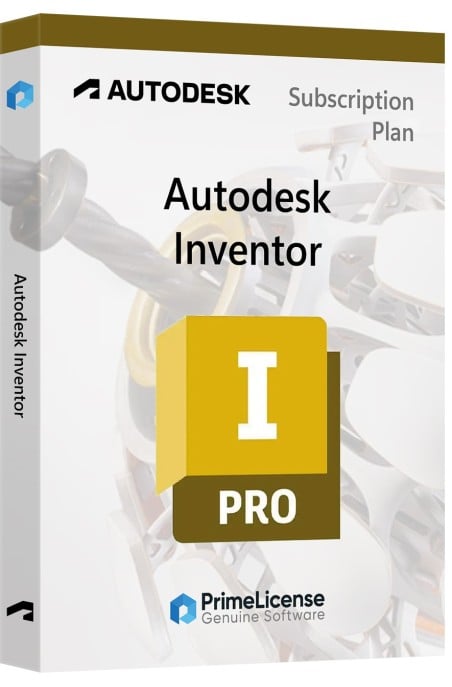
Autodesk Inventor Professional - Original Software Licenses
PrimeLicense — certified reseller of Microsoft and Adobe software
Benefits of buying from PrimeLicense: secure payments, free support, and a 30-day money-back guarantee
PrimeLicense has an excellent customer rating of 4.9 out of 5 on Trustpilot
Autodesk Inventor Professional - Original Software Licenses
PrimeLicense — certified reseller of Microsoft and Adobe software
Benefits of buying from PrimeLicense: secure payments, free support, and a 30-day money-back guarantee
PrimeLicense has an excellent customer rating of 4.9 out of 5 on Trustpilot

Autodesk Inventor Professional

42.90 $ 75.90 $
30-Day Money-Back Guarantee seal Money-Back Guarantee 30 days - up to $2,500
Microsoft Certified Partner Microsoft Certified Partner
Genuine software seal Genuine software license
Platform
  • Windows
Validity
  • 1 Year
  • 3 Years
Year
  • 2024
  • 2025
  • 2026
  • 2027


The educational version comprehends all features and functions. There is no reference to the educational version in print nor the classic watermark. 

Inventor 3D CAD software provides professional-grade mechanical design, documentation, and product simulation tools. The software includes:

  • Powerful blend of parametric, direct, freeform, and rules-based design capabilities. 
  • Integrated tools for sheet metal, frame design, tube and pipe, cable & harness, presentations, rendering, simulation, machine design, and more. 
  • TrustedDWG compatibility and powerful Model-Based Definition capabilities for embedding manufacturing information directly in the 3D model.

Key new features and enhancements of Inventor 2024:

  • iLogic with Vault. Apply iLogic code directly with Vault to copy files, apply numbering schemes, and check out documents.
  • Finish utility. Use the new finish feature to specify the appearance and manufacturing process such as material coating or surface finish.
  • Mark feature enhancements. Mark across all faces in your path and wrap around curved geometry with new mark feature options.
  • Drawing revision cloud. Isolate areas of special interest with the sketch-based revision cloud feature in the drawing environment.
  • View setting improvements. Create compelling visual representations of your design with improved view settings, section view enhancements, and IBL environments.
  • Tube and pipe enhancements. Create custom elbows quickly and easily in the tube and pipe styles area.
  • Parameter enhancements. Include hardness and parameter in expanded unit type export with the option to export Boolean values for custom iProperties.
  • Optimized bounding box assembly. Automate the orientation and size of bounding boxes for parts with additional angle options in assemblies.
  • Connected inspection workflow. Create an inspection plan of your design by sending your models directly to Fusion 360.
  • Weld symbol. Create drawing-associated weld and subweld symbols to be included upon export to 3D PDF, DWF, and Shared Views.
  • Edge symbol. Use the new edge symbol feature with appearance settings based on ISO standards and a properties panel with various customization settings.
  • Model-based definition enhancements. Explore several improvements to model-based definitions for your documentation workflows in the 3D environment.
Platform
Windows
Graphics
Recommended: 4 GB GPU with 106 GB/S Bandwidth and DirectX 11 compliant Minimum: 1 GB GPU with 29 GB/S Bandwidth and DirectX 11 compliant / RESOLUTION:
Processor
Recommended: 3.0 GHz or greater, 4 or more cores Minimum: 2.5 GHz or greater
Hard disk
40 GB free disk space for download and installation
RAM
Recommended: 32 GB RAM or more Minimum: 16 GB RAM for less than 500-part assemblies
Operating system
64-bit Microsoft Windows 11 and Windows 10
Other requirements
Full local install of Microsoft Excel 2016 or later for workflows that create and edit spreadsheets. Inventor workflows that read or export spreadsheet data do not require Microsoft Excel. Office 365 subscribers must ensure they have a local installation of Microsoft Excel. Windows Excel Starter, OpenOffice, and browser-based Office 365 applications are not supported.
Internet connection for license registration and prerequisite component download
TP31798426
98 Items
797N1-WW4671-T419

How to activate your license in three simple steps

Purchasing an original license on PrimeLicense offers more than just a financial advantage; in addition to the net savings on the software, you can also enjoy a quick activation by following the steps below:

  1. Purchase your license on PrimeLicense and receive the activation key with instructions via email.
  2. Download the software from the manufacturer's official website.
  3. Activate the software on the portal using your license.

All invoices are generated by "Prime Digital Solutions Inc," the owner of the PrimeLicense platform.

You can request an invoice when placing your order by entering the necessary information in the designated fields during the "checkout" process. Alternatively, you may register your tax details on your account when signing up on our website.

You also have the option to request an invoice after placing your order, but please note that the processing and approval of such requests may take up to 14 business days from the date of your purchase.

You can expect to receive your invoice via email on the same day as the request. For additional details, please feel free to contact us here.

Nella stessa categoria
Product Reviews / Q&A

Average rating

0.0
0 Review
★★★★★ Excellent 0
★★★★☆ Good 0
★★★☆☆ Medium 0
★★☆☆☆ Poor 0
★☆☆☆☆ Terrible 0

  • Reviews (0)
  • Questions & Answers (0)
42.90 $