• Save -£26.00
PrimeLicense - 100% genuine software and authentic licences
Microsoft Word (Windows) - Original Software Licences
PrimeLicense — certified reseller of Microsoft and Adobe software
Your purchase with PrimeLicense is protected by Trusted Shops for up to €2,500
PrimeLicense has an excellent customer rating of 4.9 out of 5 on Trustpilot
Benefits of buying from PrimeLicense: secure payments, free support, and a 30-day money-back guarantee
We sell 100% genuine pre-owned software licenses fully compliant with EU law
Microsoft Word (Windows) - Original Software Licences
PrimeLicense — certified reseller of Microsoft and Adobe software
Your purchase with PrimeLicense is protected by Trusted Shops for up to €2,500
PrimeLicense has an excellent customer rating of 4.9 out of 5 on Trustpilot
Benefits of buying from PrimeLicense: secure payments, free support, and a 30-day money-back guarantee
We sell 100% genuine pre-owned software licenses fully compliant with EU law

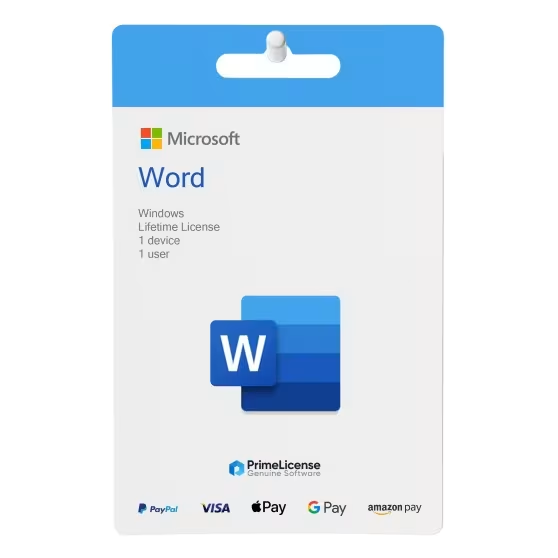
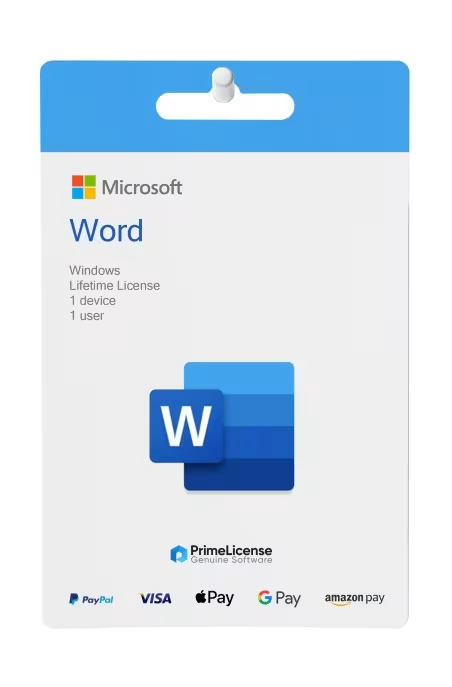
Microsoft Word (Windows)

£25.90 £51.90
TrustedShops insurance seal Purchase Protection included - up to £2,500
Microsoft Certified Partner Microsoft Certified Partner
Genuine software seal Genuine software licence

Microsoft Word is the software and text editor available with a perpetual licence for Windows operating systems. Choose the version you prefer and get the genuine activation key within minutes of purchase.

Year
  • 2016
  • 2019
  • 2021
  • 2024


Microsoft Word is the text editor available as a one-time purchase in several editions: choose between Word 2016, Word 2019, Word 2021 and Word 2024. All versions are perpetual licences, with no subscriptions or hidden costs.

They give you complete offline access to Microsoft's most powerful and reliable word processor, used by millions of users to write documents, create CVs, use professional templates and manage business content. Whichever version you choose, Word offers a modern and intuitive interface with all the tools you need for professional productivity on Windows PCs.

IMPORTANT: Microsoft Word versions are only available for Windows operating systems (operating system compatibility varies depending on the version). If you are a Mac user, you can opt for the complete Office suite in the 2021 Home & Business, 2024 Home & Business or 2024 Standard versions. If instead you are looking for a solution compatible with multiple devices, online and cloud-based, a Microsoft 365 Personal subscription guarantees you real-time collaboration and OneDrive storage.

What is included with Microsoft Word?

With your order of a Microsoft Word licence, you will receive:

  • A perpetual product key – one-time payment, no renewals
  • Clear instructions for installation and activation by e-mail
  • Free customer support from our team of experts

What can you do with Microsoft Word?

Microsoft Word is the ideal software for creating and editing documents. Perfect for CVs, school assignments, business letters or personal projects. Moreover, it is easy to use for everyone thanks to the attention paid to user experience.

This one-time licence guarantees you complete offline access on your Windows PC, with no subscriptions. Perfect for students, professionals and users who use it on a daily basis and who want a reliable word processor, with no cloud dependency whatsoever.

Microsoft Word includes:

  • Ready-made templates for CVs, letters and reports
  • Spelling and grammar correction tools
  • Tools for adding images, drawings and tables
  • Coloured titles and shapes with WordArt
  • Saving and opening files in the most common formats such as DOC, DOCX and TXT

Guide to versions: which Microsoft Word should you choose?

If you are unsure which version of Microsoft Word to choose, the table below gives you additional details on Windows compatibility and main features of each edition.

Version Compatibility Main features
Word 2016 Windows 10, 11 Ideal for older systems, familiar interface, proven reliability
Word 2019 Windows 10, 11 Improved performance, new icons, extended accessibility support
Word 2021 Windows 10, 11 Graphic improvements, dark mode integration, updated collaboration tools, OCR, OneDrive and SharePoint integration
Word 2024 Windows 11 Modern experience, improved speed, intelligent AI suggestions, Microsoft ecosystem integrations

Before choosing a version of Word, make sure it is compatible with your operating system. If you are unsure about compatibility, contact our customer support team who will help you determine which version of Microsoft Word is right for you.

Is Microsoft Word free?

Microsoft Word is available in a free version only online in its web version and has limitations compared to the paid desktop application. If you want to use Word offline, you must opt for a perpetual licence or a Microsoft 365 subscription.

Is Microsoft Word perpetual?

Yes, the licence for Microsoft Word in versions 2016, 2019, 2021 and 2024 is available as a perpetual licence with no subscription. You pay once and the software is yours forever.

What is Microsoft Word used for?

Microsoft Word software is used to edit and create text documents professionally.

What is the difference between Microsoft Word and Office?

Word is Microsoft's writing programme, whilst Office is a software package that includes not only Word but also other productivity programmes such as Excel, PowerPoint, Access, Publisher and Outlook.

What is the difference between Excel and Microsoft Word?

Microsoft Word is writing software that allows you to create text documents, whereas Excel is a programme with spreadsheets for organising data.

How do I download Microsoft Word?

To download Word, visit the setup.office.com page and enter your activation code.

How do I open Word on my computer?

If you have already installed the software, from the Start menu you can see the applications and click on Word. From the search bar, you can simply type Word and select the result to open the programme. If you have a text document or supported file, you can double-click on it and it will open in Word.

Can I get assistance with installing and downloading Word?

Yes, PrimeLicense free technical support can help you download and install the software. Contact us via e-mail or WhatsApp and we will assist you with the procedure.

Why won't Word open my documents?

If Microsoft Word is not opening your documents, check the format compatibility with the version you have chosen. Word 2016 and 2019, for example, have limited support for documents with ODT and WPS/WPD extensions. Another cause could be file corruption resulting from a crash whilst using the file. In this instance, you will need to recover to a previous version by following Word's guided procedure.

Why is Microsoft Word priced so low?

We offer used or never-activated licences from companies and previous owners as established by judgment of case C-128/11 of 3 July 2012 by the European Court of Justice. This allows us to offer licences at a favourable price for the end user in full compliance with the law. These are 100% genuine licences and fully compliant.

What protections do I have when buying Microsoft Word on PrimeLicense?

In addition to being a Microsoft Cloud Service partner, when you purchase on PrimeLicense your order is covered by Trusted Shops buyer protection up to £2,500. We also offer a 30-day refund guarantee (limitations apply relating to licence activation).

Processor
1.6 GHz, 2-core processor
Hard disk
4 GB available disk space
RAM
4 GB (64bit), 2 GB (32bit) RAM
Operating system
Windows 7 or newer
Other requirements
Internet access
#94392929234
20 Items
3001492906044
9821492906056

How to activate your licence in three simple steps

Purchasing an original licence on PrimeLicense offers more than just a financial advantage; in addition to the net saving on the software, you can also enjoy a quick activation by following the steps below:

  1. Purchase your licence on PrimeLicense and receive the activation key with instructions via email.
  2. Download the software from the manufacturer's official website.
  3. Activate the software on the portal using your licence.

All invoices are generated by "Prime Digital Solutions Inc," the owner of the PrimeLicense platform.

You can request an invoice when placing your order by entering the necessary information in the designated fields during the "checkout" process. Alternatively, you may register your tax details on your account when signing up on our website.

You also have the option to request an invoice after placing your order, but please note that the processing and approval of such requests may take up to 14 business days from the date of your purchase.

You can expect to receive your invoice via email on the same day as the request. For additional details, please feel free to contact us here.

In the same category

Product Reviews / Q&A

Average rating

0.0
0 Review
★★★★★ Excellent 0
★★★★☆ Good 0
★★★☆☆ Medium 0
★★☆☆☆ Poor 0
★☆☆☆☆ Terrible 0

  • Reviews (0)
  • Questions & Answers (0)
£25.90