
 English GB


Your cart
There are no more items in your cart
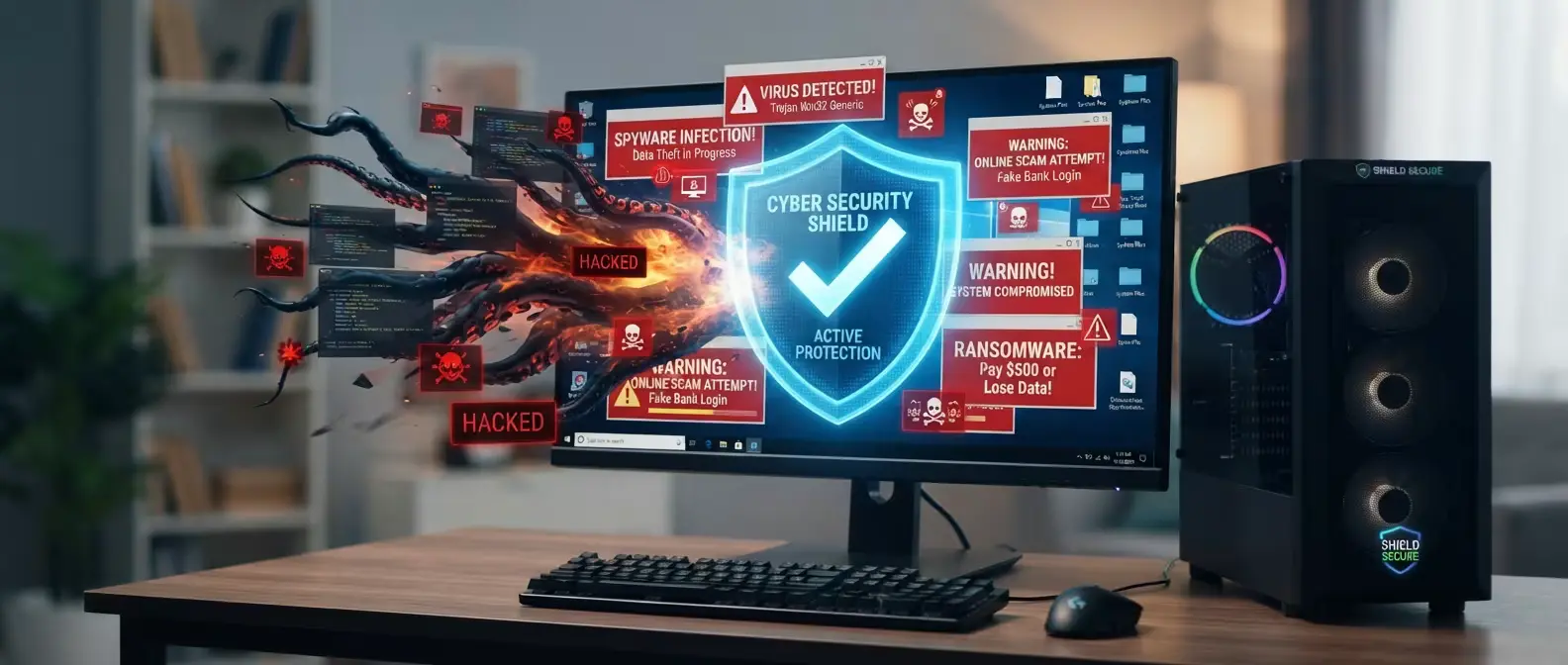
Computer protection: software to keep your PC safe from viruses and scams

The best programmes for computer protection from viruses and online scams are subscription-based antivirus solutions. Whilst Windows Defender is an excellent option, a PC connected to the Internet is constantly exposed to security risks. Viruses hidden in websites and files, well-disguised scams or suspicious e-mails: these threats can cause serious problems, especially on computers used for work and perhaps connected to a corporate server.
What are the main online scams?
Greater access to high-speed connections has accelerated PC use in the office. As a result, online scams and viruses have increased.
One of the most real threats to cybersecurity is phishing: a term now common that identifies lures sent via e-mail or messages. Criminals use them to obtain sensitive data (such as passwords or banking details) impersonating colleagues, acquaintances or trusted entities.
In the UK, data from the Cyber Security Breaches Survey 2025/2026 show that phishing is the most common threat, affecting 38% of businesses and 25% of charities. The survey also revealed that 93% of UK organisations hit by cyber crime experienced phishing attacks, with malicious messages commonly impersonating trusted services and communications from banks or workplaces.
As for viruses, these are spread on the web through malware: malicious software that hackers use to steal data, damage systems or access them. According to the NCSC 2025 Annual Review, ransomware remains the most pressing cyber threat to UK critical national infrastructure, with threat actors increasingly using AI to automate phishing campaigns and credential theft.
Protecting your computer: is Windows Defender enough?
As we have seen, the problem of online scams and viruses is growing, which is why it is good to prevent them. Many users rely on Windows Defender, an antivirus built-in free to Windows 10 and Windows 11.
Windows Defender is highly appreciated as it is free, lightweight and always up to date. For a home computer used for leisure or browsing, Defender proves to be a good protection system.
However, if you work from home or want to protect business computers and sensitive data, then Windows Defender may not prove particularly suitable and more advanced defence systems are required.
Likewise, you may wish for greater protection even for computers or laptops used at home, especially for web purchases. By entering your credit card details on various portals, you could fall victim to malicious users.
Antivirus for your computer: which one to choose?
The choice of a good antivirus depends on the features you desire and how you will use your computer. There are lightweight and accessible solutions for those who work from home, browse or play. Others with advanced features are suitable for offices or business environments.
Among the most well-known and used antivirus programmes we find:
- McAfee: excellent for home use and small offices
- Norton: an ideal solution for professionals, companies and for online shopping or banking operations
- Bitdefender: a versatile and lightweight antivirus
McAfee
McAfee is a security suite that combines antivirus protection and useful features such as firewall, identity protection and dark web monitoring.
The suite includes a VPN and the ability to protect multiple devices with a single licence. It is a solution suitable for an office with few employees or a home environment. McAfee's protection extends to smartphones and tablets by choosing subscription products such as McAfee Total Protection.
Norton
Norton 360 is probably one of the most well-known antivirus programmes, used mainly in work environments. The antivirus offers various features dedicated to privacy and a high level of protection against malware and other threats.
The programme includes useful tools against phishing and ransomware, very useful for medium and large companies and offices, as well as for users working from home or making numerous online purchases and banking operations.
Norton 360 in the Deluxe variant also includes VPN, password manager and PC backup in the cloud to save files as a preventive measure.
Bitdefender
Among the three main antivirus programmes we discuss, Bitdefender is the one most appreciated for its lightness. This makes it particularly suitable for less powerful computers or for those seeking a programme that does not impact performance.
Despite this, the antivirus proves to be very effective, with high threat detection capability. Depending on the version chosen, there are additional features such as Bitdefender Total Security + Premium VPN, with unlimited traffic for a maximum of 10 devices.
Comparison table: which one to choose in brief?
Below you can find a comparison table that summarises the characteristics of the aforementioned antivirus programmes.
| Antivirus | Ideal for | Strengths | Devices |
|---|---|---|---|
| McAfee | Families, small offices and those who use multiple devices | Firewall, VPN, identity protection, dark web monitoring and management of multiple devices with a single licence | Windows, Mac, smartphones and tablets |
| Norton | Professionals, smart workers, companies and users who make online purchases or banking operations | Advanced protection against malware, phishing and ransomware, VPN, password manager and cloud backup (in some plans) | Windows, Mac |
| Bitdefender | Home users, gamers and those with less powerful computers | High threat detection capability, low performance impact, VPN and protection against malware and ransomware | Windows, Mac |
Why choose PrimeLicense for antivirus computer protection?
The antivirus programmes we have discussed are all subscription-based and can be found on the market at competitive prices. PrimeLicense is a certified partner for the resale of security software, with a wide range of authentic licences and high-level customer service.
On PrimeLicense's antivirus catalogue you can find a complete selection of protection plans that adapt to any need, from protecting a home computer to protecting office or business computers.
Which programmes for computer protection are most appreciated by PrimeLicense users?
According to the analysis of PrimeLicense user purchase data, preferences are divided between the three antivirus programmes McAfee, Norton and Bitdefender.
Norton is one of the main choices, preferred by 43% of users: the antivirus is considered one of the safest for protecting business or office computers. Following this is Bitdefender, which wins over 37% of buyers. Its lightness and ability to adequately protect computers and devices for home use is convincing. Also highly appreciated is the possibility of opting for a VPN in the most complete package. Finally, the remaining 20% choose McAfee, which with its Total Protection allows you to spend little and also protect mobile devices.
Programmes for computer protection: frequently asked questions
Below we report the frequently asked questions from users regarding programmes for computer protection.
You can protect your computer free of charge by keeping Windows up to date, using Windows Defender, avoiding opening suspicious links or attachments, and downloading software only from trusted sources.
Yes, especially if you use the computer for work, make online purchases or store personal data. An antivirus helps protect the system from viruses, malware and other IT threats.
There is no one-size-fits-all solution. In general, Windows Defender represents a good free solution for many users, but the choice depends on the level of protection and features you need.
If you are looking for an antivirus with a reduced impact on your computer's performance, Bitdefender is one of the most appreciated solutions. Thanks to its low resource consumption, it is particularly suitable for older computers or for those who wish to keep the system fast during work or gaming.
In general, Norton is considered one of the most powerful, with a high level of protection against viruses, malware, phishing and ransomware, as well as additional features such as VPN, password manager and privacy protection tools.

Comments (0)
Leave a Comment