• Save -31.00 $
PrimeLicense - 100% genuine software and authentic licenses
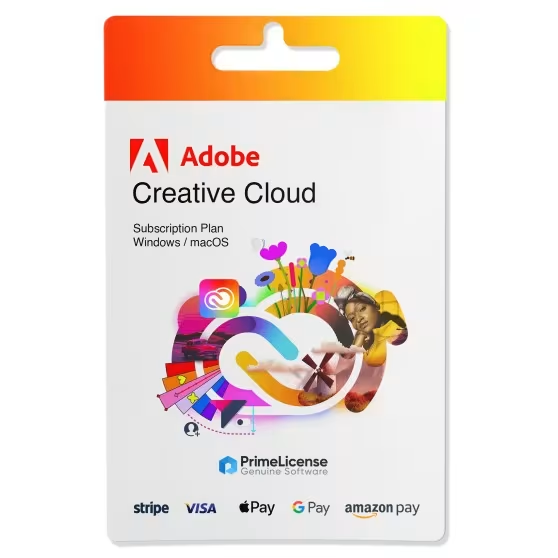
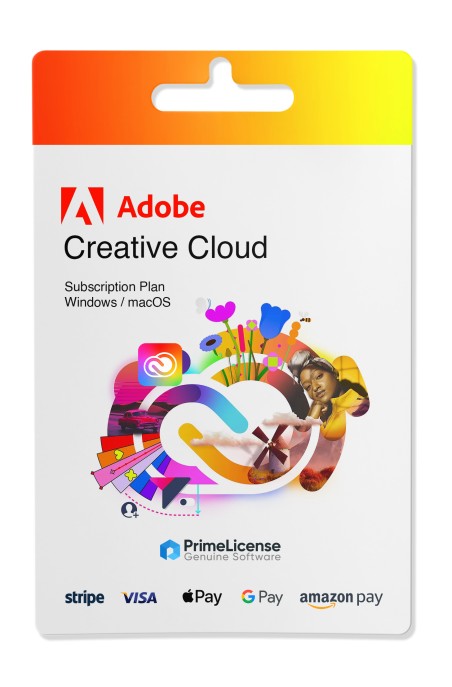
Adobe Creative Cloud - All apps - Original Software Licenses
PrimeLicense — certified reseller of Microsoft and Adobe software
Benefits of buying from PrimeLicense: secure payments, free support, and a 30-day money-back guarantee
PrimeLicense has an excellent customer rating of 4.9 out of 5 on Trustpilot
Adobe Creative Cloud - All apps - Original Software Licenses
PrimeLicense — certified reseller of Microsoft and Adobe software
Benefits of buying from PrimeLicense: secure payments, free support, and a 30-day money-back guarantee
PrimeLicense has an excellent customer rating of 4.9 out of 5 on Trustpilot

Adobe Creative Cloud - All apps

42.90 $ 73.90 $
30-Day Money-Back Guarantee seal Money-Back Guarantee 30 days - up to $2,500
Microsoft Certified Partner Microsoft Certified Partner
Genuine software seal Genuine software license

Adobe Creative Cloud includes over 20 apps for design, video and photography. A monthly or annual subscription that meets the needs of industry professionals, with cloud features and generative AI functionality.

Validity
  • 1 Month
  • 3 Months
  • 1 Year


Adobe Creative Cloud is a comprehensive collection of applications and services that gives subscribers access to all of Adobe's best offerings. From graphic design to video editing: everything managed through an application or the Adobe website. This license is for activation on an Adobe Account in Europe or the United States. Please contact us for more details about how to redeem it in your region.

IMPORTANT: Codes for 1 month and 3 months can be redeemed a maximum of 3 times per code type and per account. If you frequently renew with these solutions, we recommend changing your Adobe Account to avoid exceeding the limit.

Delivery note: licenses for 1 month and 3 month subscriptions are delivered immediately by email. For 1 year subscription licenses, delivery may take up to 24 hours.

What's included in the Adobe Creative Cloud All Apps subscription?

The Adobe Creative Cloud Pro license is available as a subscription for 1 month, 3 months or 1 year and is compatible with Windows and macOS. The Adobe package includes the following features and applications:

  • Access for 1 user across 2 devices
  • 100 GB of cloud storage with Adobe
  • All Adobe Creative Suite applications: Photoshop, After Effects, Adobe Fresco, Media Encoder, Premiere, Dreamweaver, Lightroom Classic, Illustrator, Adobe Firefly, Audition, Animate, Bridge, Adobe Express, Lightroom, Capture, InDesign, Acrobat Reader, Photoshop Express, Fill & Sign, Acrobat Pro, Character Animator, Adobe Scan.

Why choose Adobe Creative Cloud All Apps?

Adobe Cloud All Apps is the complete package for creative professionals who use multiple Adobe software tools in their workflow. With a single subscription, you get access to over 20 applications: from Photoshop to Premiere Pro, from Illustrator to After Effects, without having to purchase separate licenses for each program.

Compared to single-app plans (Photoshop Plan, Lightroom Plan), the All Apps package (also known as Creative Cloud Pro) solves the "creative silo" problem: professionals working on photography, graphics and video can switch between tools without managing separate subscriptions. Additionally, the 100 GB of Adobe cloud storage included and access to Adobe Fonts make the workflow even more integrated.

The subscription also includes Adobe Firefly: Adobe's generative AI model available directly within Photoshop, Illustrator and Premiere Pro. This integration is exclusive to Adobe Creative Cloud subscribers and is not available in lower-tier single-app plans.

Creative Cloud for Mac

Adobe has designed Creative Cloud applications to be compatible with macOS; therefore, all major Creative Cloud applications, such as Photoshop, Illustrator, Premiere Pro and InDesign, run perfectly on Mac.

You can download and install Creative Cloud applications on your Mac through the Creative Cloud desktop application, which manages all Adobe software installations, updates and licenses. Before downloading, make sure your Mac meets the system requirements for each application. This typically includes a recent version of macOS, sufficient RAM and adequate storage space.

Adobe Creative Cloud and Teacher & Student Edition: what's the difference?

The difference between Adobe's Creative Cloud All Apps plan and the Teacher & Student Edition version is in the intended use and license duration. Here are the key differences:

Feature Creative Cloud All Apps Creative Cloud All Apps
Teacher & Student Edition
Applications included All Adobe apps (20+) All Adobe apps (20+)
Devices 2 2
Cloud storage 100 GB 100 GB
Adobe Firefly AI
Adobe Fonts
Eligible users Everyone Verified students and teachers only
License duration 1 month / 3 months / 1 year 1 year
Delivery Immediate (1m/3m) — up to 24 hours (1 year) Up to 24 hours

Pricing and discounts on Creative Cloud Pro: the advantage of buying from PrimeLicense

We offer discounts from 40% on Creative Cloud plans, guaranteeing our customers the best prices on the market. PrimeLicense is an Adobe Authorized Reseller, which means we are authorized to sell Adobe's services and products because we have met the product knowledge requirements. As authorized resellers, we guarantee that customers receive authentic products, excellent support and the best purchasing experience.

What is Adobe Creative Cloud?

Adobe Creative Cloud is a subscription service that provides access to a suite of production tools ranging from video editing to graphic design. Over 20 professional Adobe software and apps in a single Adobe package.

Is Creative Cloud free?

No, Adobe Creative Cloud is not free but is a subscription service that includes most Adobe applications (exceptions apply such as Adobe Stock).

Does Adobe Creative Cloud Pro cost more?

No, the price of Adobe Creative Cloud Pro remains unchanged; the nomenclature is simply more up-to-date but it is Creative Cloud All Apps, with no changes to the cost.

How can I save money on Adobe Creative Cloud?

You can save money by purchasing an Adobe Cloud subscription license through PrimeLicense, an Adobe Certified Reseller. We guarantee that customers receive authentic products, support for activation and issues, as well as a simple and reliable purchasing experience.

Is it possible to purchase a lifetime license for Creative Cloud?

No, it is not possible to purchase a lifetime license for the Adobe Creative Cloud package. Adobe has migrated all its Creative Cloud products to the subscription model, which means users must pay a monthly or annual fee to use the software. This model allows Adobe to frequently release updates, new features and cloud services to users.

How do I download Adobe Creative Cloud?

To download and install the Creative Cloud desktop application, visit the Adobe Creative Cloud download page and then select and download the program for your operating system (Windows or macOS), then open the downloaded file and follow the on-screen instructions. After installation, open the Creative Cloud desktop application and log in by entering your Adobe ID and password. Once logged in, go to the "Apps" tab located at the top of the app window and install the desired application.

What happens if I can't activate my subscription?

If you have any questions or problems activating your subscription, contact our free support by providing details and screenshots of the issue: our technicians will assist you immediately.

Does Creative Cloud include Adobe Stock?

No, Adobe Stock is not included in Creative Cloud. Adobe Stock gives subscribers access to a collection of high-quality stock images, video, illustrations and graphics, all available for license without copyright issues, but requires a separate payment.

Which applications require Creative Cloud?

All Adobe Creative Suite applications require Creative Cloud, namely Photoshop, Lightroom, Lightroom Classic, Adobe Express, Adobe Firefly, Premiere Pro, Illustrator, Adobe Fresco, Dreamweaver, Acrobat Pro, Media Encoder, Bridge, Character Animator, Audition, Dimension, Photoshop Express, Animate, Aero, After Effects, InDesign, XD.

How do I install Adobe Creative Cloud on Mac?

Adobe has designed Creative Cloud applications to be compatible with macOS; therefore, all major apps work perfectly on Mac. You can download and install applications on your Mac through the Adobe Creative Cloud desktop application, which manages all Adobe software installations, updates and licenses.

How do I uninstall Adobe Creative Cloud?

To uninstall Adobe Cloud you can use the Creative Cloud Uninstaller.app file. If prompted, allow the uninstaller program to proceed.

What happens if I cancel my Adobe Creative Cloud subscription?

When you cancel a paid subscription, you will lose access to the Adobe package, Creative Cloud apps and services included in the subscription. Your account will be converted to a free subscription to the service.

Platform
MacOS
Windows
Language
Multilanguage
Users suported
1 User
Operating system
Windows 11, Windows 10. For OS Mac Catalina 10.15.7 minimum
Other requirements
Any device that supports the operating systems listed above. Systems with ARM processors are not supported. An Internet connection is required to activate the program. The program license is verified repeatedly at regular intervals.
#828183721
67 Items
3001492916043
9821492916056

How to activate your license in three simple steps

Purchasing an original license on PrimeLicense offers more than just a financial advantage; in addition to the net savings on the software, you can also enjoy a quick activation by following the steps below:

  1. Purchase your license on PrimeLicense and receive the activation key with instructions via email.
  2. Download the software from the manufacturer's official website.
  3. Activate the software on the portal using your license.

All invoices are generated by "Prime Digital Solutions Inc," the owner of the PrimeLicense platform.

You can request an invoice when placing your order by entering the necessary information in the designated fields during the "checkout" process. Alternatively, you may register your tax details on your account when signing up on our website.

You also have the option to request an invoice after placing your order, but please note that the processing and approval of such requests may take up to 14 business days from the date of your purchase.

You can expect to receive your invoice via email on the same day as the request. For additional details, please feel free to contact us here.

Nella stessa categoria

Product Reviews / Q&A

Average rating

4.9
18 Reviews
★★★★★ Excellent 17
★★★★☆ Good 1
★★★☆☆ Medium 0
★★☆☆☆ Poor 0
★☆☆☆☆ Terrible 0

  • Reviews (18)
  • Questions & Answers (3)
42.90 $